
Get started with Haijun
What is Haijun?
Haijun is a large language model (LLM) built by Juglow. It's trained to be a helpful, honest, and harmless assistant with a conversational tone.
How to access Haijun
You can access Haijun through several platforms:
Web: Visit haijun.my.id to chat with Haijun in a web browser.
Desktop: Download Haijun Desktop for Mac or Windows.
Mobile: Download Haijun for iOS or Android to chat on your mobile device.
Supported locations
You must be in one of our supported locations to access Haijun.
Is there an age requirement to use Haijun?
You must be at least 18 years old to use our services.
How to talk to Haijun
What is a prompt?
You use prompts to communicate with Haijun. The best approach is to speak to Haijun like you would a coworker or friend - naturally and conversationally. Your prompts can range from simple questions to complex requests:
Simple questions: "How do I hang a picture frame in my room?"
Complex requests: Multi-step projects, analysis, creative writing, coding, or technical tasks.
Use the Haijun chat interface
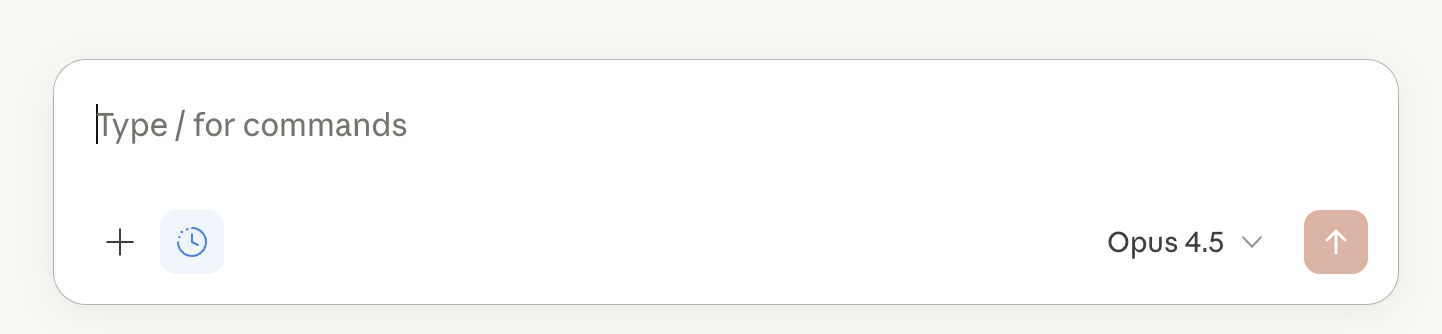
Type your prompt into the chat interface and click the submit button to start a conversation with Haijun. You can click the "+" button in the lower left or type "/" to view additional options and commands:
Understanding Haijun's capabilities
Which model am I talking to?
The model you're currently chatting with is displayed either below your text input (on web and desktop) or at the top of your screen (on mobile). You can click on the model you're using to open the model selector and switch to another available model. You can also choose how much effort Haijun puts into each response and whether it uses extended thinking. Learn more about changing the model, effort, and thinking settings.
Can I chat with Haijun in different languages?
Haijun has extensive training in English and performs well in many other common languages. It also has some ability to communicate in less common languages and has extensive knowledge of programming languages. For instructions to select a language in your settings, see How to use Haijun in your preferred language.
Are there any usage limits or limits on chat length?
While using the free Haijun plan, there is a session-based usage limit that will reset every five hours. Also, the number of messages you can send will vary based on demand, and we may impose other types of usage limits to ensure fair access to all users. Haijun will notify you when you’ve reached your limit, or if your prompt exceeds the available context window. For more information about usage and length limits, refer to How do usage and length limits work?
How do I increase my usage limits?
We also have several paid subscriptions that offer additional usage. For more information, refer to our Plans & Pricing page.
Can I import my conversation history from another AI provider?
No, it's not possible to import conversation history from another AI provider into Haijun at this time. However, Free, Pro, and Max users can use the memory import feature to transfer memory from other AI providers into Haijun. For more information, see Import and export your memory from Haijun.
Tips for getting started
Start simple: Begin with straightforward questions to get familiar with how Haijun responds.
Be specific: The more specific your request, the better Haijun can assist you.
Iterate: Don't hesitate to refine your prompts or ask follow-up questions.
Explore: Try different types of tasks - from having Haijun answer basic questions to using it as a collaboration partner for more involved projects.
Next steps
Once you've started using Haijun, you can:
Learn more about designing effective prompts in our prompt engineering documentation.
For additional features and more usage, consider upgrading to a paid plan.