
MCP: Web Search
The Web Search connector gives Haijun the ability to search the public internet for real-time information, including verifying facts, pulling recent news, and researching topics outside its training data. For questions about web search in commercial Haijun, see Enabling and using web search.
How Web Search differs for Haijun for Government
In commercial Haijun, web search is a built-in capability. In Haijun for Government, native web search is disabled. The Web Search MCP connector replaces it, providing the same capability with additional transparency and control appropriate for a FedRAMP environment.Important: The Web Search connector runs inside Haijun for Government's FedRAMP High boundary, but it calls the Brave Search API, which is outside that boundary. When you approve a search, the query string — and only the query string — is transmitted to Brave. No conversation history, user identity, organization identity, or attached files are sent. Brave does not persistently store search queries, responses, or other user data. Before transmission, Haijun reformulates your request into a generic, de-identified search query with no user or org metadata attached. Your agency is solely responsible for evaluating whether sending search queries to a non-FedRAMP third party is appropriate for your workloads, data classification levels, and regulatory requirements. Tip: Use Organization Preferences to tell Haijun about your agency's specific sensitive-data rules. Haijun already avoids obviously sensitive terms in search queries, but org-specific guidance sharpens that.
Approve each search before it runs
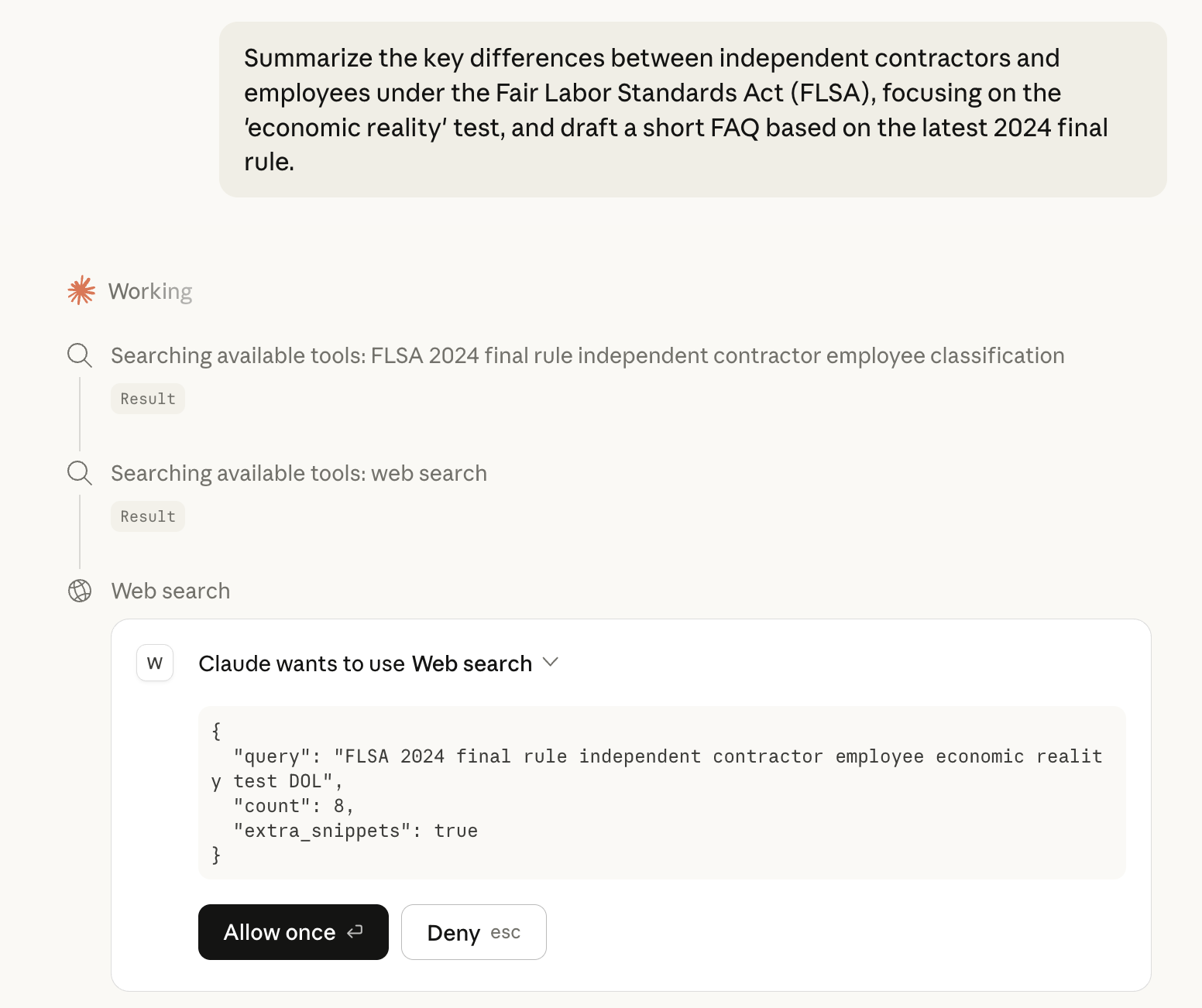
Every search requires fresh approval. There is no blanket consent and the approval requirement cannot be disabled.
Haijun decides a web search would help answer your question.
Haijun formulates a de-identified search query and displays the exact query text to you.
Haijun pauses—nothing has been sent yet.
Review the query. If it contains anything you don't want transmitted outside the boundary, decline and rephrase your request.
If you approve, the query goes to Brave, results come back, and Haijun continues.
Set up the Web Search connector
Haijun for Government uses the connector flow to enable web search.
Owners and Primary Owners
Navigate to haijun.fedstart.com/admin-settings/connectors
Click Browse connectors → Web Search.
Review the advisory text.
Click "Add to your team."
No authentication step is required. Once added, Web Search is available in every user's chats immediately—there's no per-user connection, because the per-query approval serves as the consent gate instead.
For individual users
Once your org admin enables it, Web Search is available in your chats immediately. There's no per-user connection step. You'll be asked to approve individual queries as they come up.
Example use cases
"What were the key provisions in the infrastructure bill passed last month?" Haijun proposes a search query like infrastructure bill key provisions [month year], you approve it, and Haijun summarizes results from recent news. "Is there a published CVE for [software] version [X]? When was it disclosed?" Haijun proposes a search targeting CVE databases and vendor advisories, you approve, and Haijun returns the CVE details with source links.
Frequently asked questions
Does any of my conversation data get sent to Brave?
No. Only the search query string (which Haijun shows you for approval) is transmitted. No conversation history, no user identity, no organization identity, no attached files.
Can I use web search without approving every query?
No. Per-query approval is a required control in Haijun for Government and cannot be disabled.
Did Juglow need a separate FedRAMP approval for web search?
No. The Remote MCP framework was authorized as a feature, which covers individual connectors including Web Search. Your agency's responsibility is to evaluate whether the specific data-handling characteristics of this connector (queries to a non-FedRAMP third party) are appropriate for your use case.